
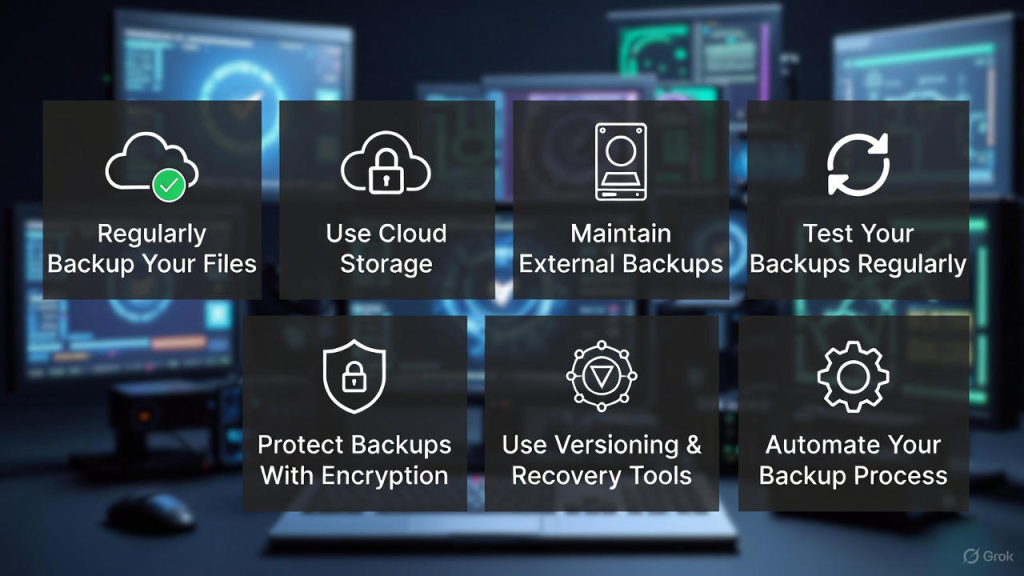
Data backup and recovery is one of the most important steps to protect your personal and business files. Whether it’s a laptop, desktop, or server, unexpected crashes, malware attacks, or accidental deletions can cause permanent data loss. Following the right backup and recovery strategies ensures your files stay safe and recoverable anytime.
Here’s a comprehensive guide with 6 practical tips to safeguard your data.
💾 1. Regularly Backup Your Files
One of the simplest ways to prevent data loss is creating frequent backups. Schedule daily or weekly backups depending on how often your data changes.
Tips:
-
Use built-in tools like Windows File History or macOS Time Machine.
-
Prioritize important documents, photos, and videos.
☁️ 2. Use Cloud Storage for Redundancy
Cloud storage offers automatic backups and protects your files from hardware failures.
Popular options:
-
Google Drive
-
Dropbox
-
OneDrive
-
iCloud
Cloud backups are also accessible from any device, making recovery easy if your local system fails.
🖴 3. Maintain External Backups
External hard drives or SSDs provide offline backups that are immune to internet-based threats.
Tips:
-
Store backups on a separate device, not your main computer.
-
Rotate drives periodically and keep at least one copy offsite.
🛠️ 4. Test Your Backups Regularly
A backup is only useful if it works. Regularly test recovery to ensure files can be restored.
Tips:
-
Restore a few files each month.
-
Check integrity of large backups like images or databases.
🔐 5. Protect Backups With Encryption
Data security is crucial. Encrypt your backup files to prevent unauthorized access.
Methods:
-
Use built-in encryption (Windows BitLocker / macOS FileVault).
-
Use third-party encryption tools for extra security.
🔄 6. Use Versioning & Recovery Tools
Accidental edits or deletions happen. Versioning allows you to restore previous versions of files.
Tips:
-
Enable version history in cloud storage (Google Drive, Dropbox).
-
Consider professional recovery software for deleted or corrupted files.
💡 Bonus Tip: Automate Your Backup Process
Automation ensures backups are not forgotten. Use backup software to schedule daily or weekly copies automatically, combining local and cloud strategies for maximum protection.
If you’re looking for trusted, fast, and professional repair services backed by a Super Service Award, FastFix Repair is here for you. Contact us today to schedule a service appointment or to learn more about how we can help with your device repair needs.
If you need any on site help please visit express mobile repair.
Following these data backup and recovery tips guarantees your files remain safe, secure, and accessible during emergencies. Regular maintenance, proper storage, and testing are key to preventing permanent data loss.