
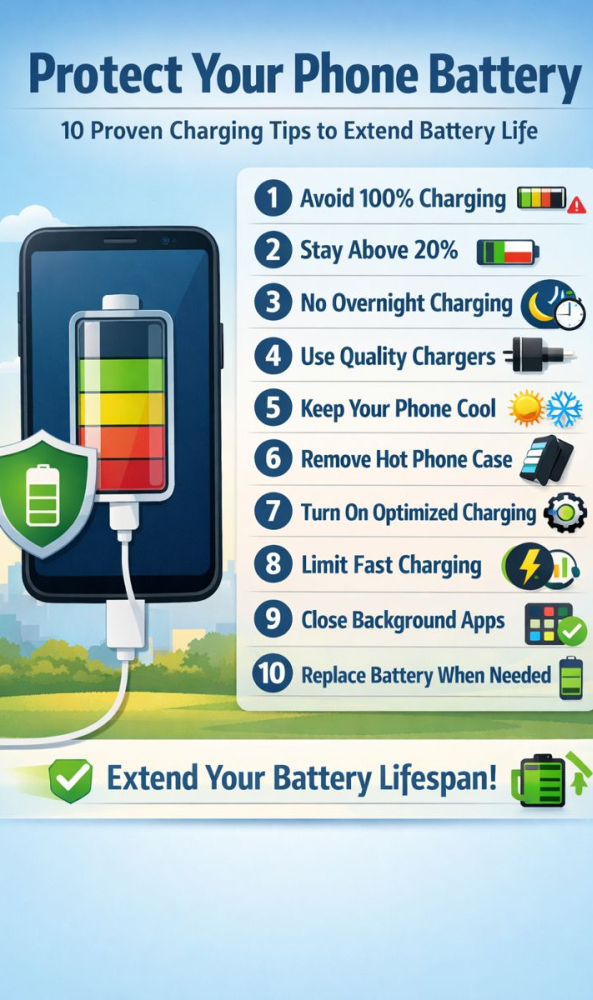
Protect your phone battery by adopting smarter charging habits that reduce wear and extend battery lifespan. Smartphone batteries are powerful but sensitive, and the way you charge your device daily plays a major role in how long it lasts. Follow these proven tips to keep your phone battery healthy for years.
🔋 1. Don’t Charge to 100% All the Time
To protect your phone battery, keep the charge level between 20% and 80% whenever possible. Charging to 100% daily increases battery stress and reduces long-term capacity.
🔋 2. Don’t Let Your Battery Drop Below 10%
Letting your phone shut down completely strains the battery. Plug in your charger when the battery reaches around 20% to maintain battery health.
🔋 3. Avoid Overnight Charging to Protect Your Phone Battery
Even though modern phones stop charging at 100%, they continue trickle charging, which generates heat. Heat is the number one enemy of phone batteries.
🔋 4. Use High-Quality Chargers Only
Low-quality chargers can cause:
- Overheating
- Slow charging
- Battery damage
- Safety risks
Always use certified chargers (Apple MFi, Samsung, Anker, Belkin) to protect your phone battery.
🔋 5. Keep Your Phone Cool While Charging
Heat destroys batteries faster than anything else. Avoid:
- Leaving your phone in direct sunlight
- Charging under pillows or blankets
- Gaming or watching videos while charging
🔋 6. Remove the Case If Your Phone Gets Hot
Some phone cases trap heat. If your device feels warm while charging, removing the case helps protect your phone battery.
🔋 7. Enable Optimized Charging Features
Smart charging reduces battery wear:
- iPhone: Settings → Battery → Battery Health → Optimized Charging
- Samsung: Settings → Battery → Protect Battery
- Pixel: Adaptive Charging
🔋 8. Avoid Fast Charging All the Time
Fast charging is convenient but produces extra heat. Use it only when necessary, not as your daily charging method.
🔋 9. Close Background Apps & Restart Occasionally
Reducing background activity lowers power consumption and improves battery efficiency.
🔋 10. Replace the Battery When Needed
If your battery drains quickly or shuts down unexpectedly, a replacement can instantly restore performance and extend your phone’s life.
If you have any problem with your phone’s battery please make an appointment, we will call you soon. FastFix
If you need any on site help please visit express mobile repair